
Apple Unveils the Most Advanced iPadOS Update Yet, Packed with Power for Creatives and Pros
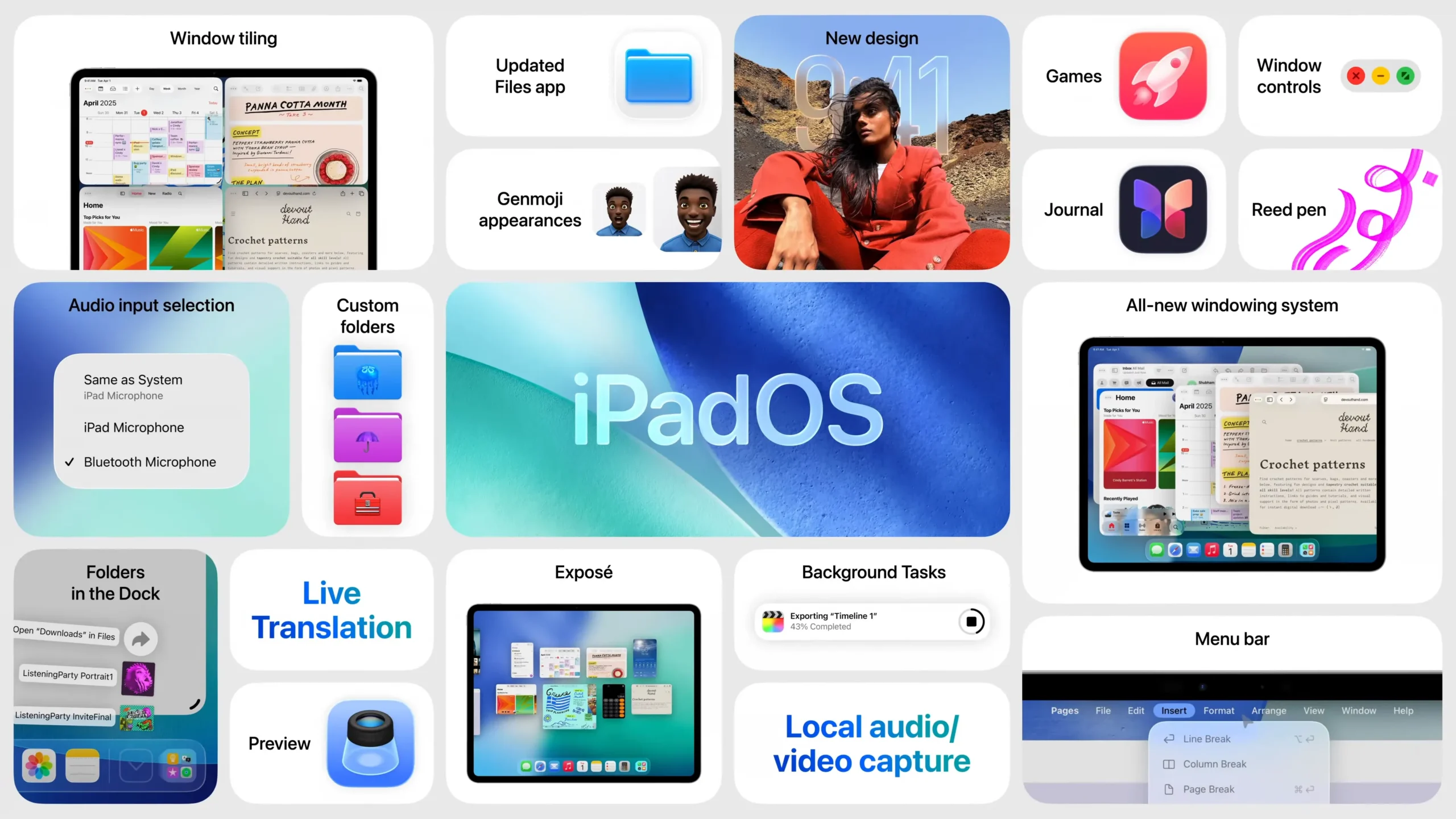
Apple has officially unveiled iPadOS 26, calling it the biggest iPadOS update ever. With a fresh, modern design and powerful tools built for professionals and everyday users alike, the update takes iPad functionality to the next level.
From a new windowing system and Apple Intelligence integration to smarter file management and creative tools, iPadOS 26 is built to make the iPad more capable, versatile, and personal than ever.
A Beautiful, Dynamic New Look
iPadOS 26 introduces a vibrant new design language powered by Liquid Glass — a translucent, fluid interface element that reacts to your surroundings and touches. It makes the Lock Screen, Control Center, and Home Screen feel more alive and interactive.

Users can now customize app icons with light and dark effects, tint options, and even a clear appearance. The new visuals also extend to system apps like Safari, Apple Music, and Mail, giving the entire OS a more unified and polished experience.
A Smart & Flexible Windowing System
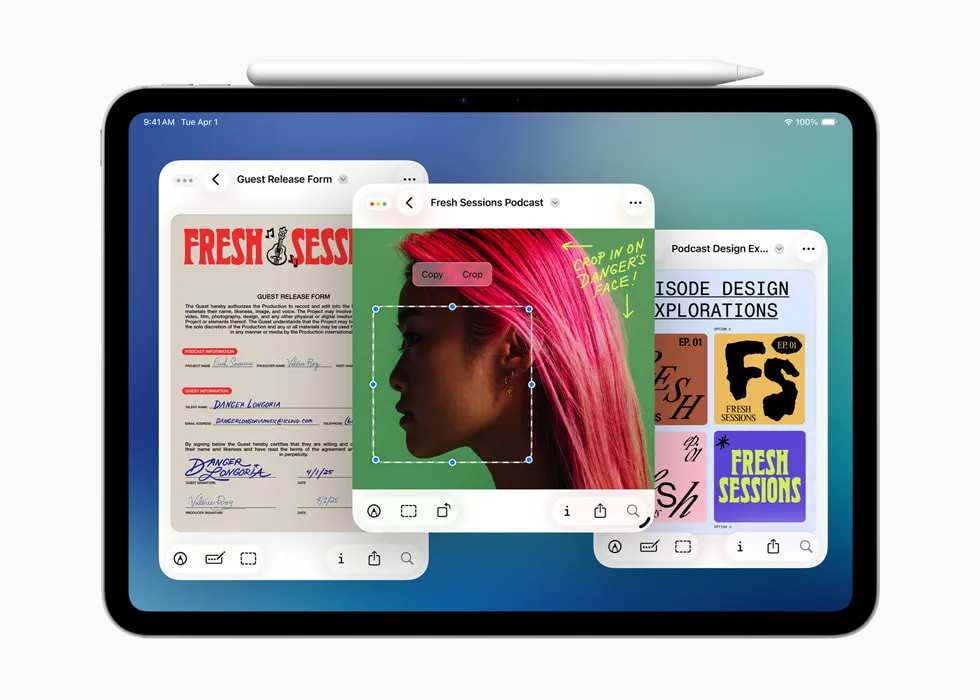
One of the most exciting additions is the new windowing system. Users can now:
- Open multiple windows from the same app
- Resize and position app windows freely
- Work more like they would on a Mac or PC — without sacrificing the iPad’s ease-of-use
This makes multitasking far more intuitive and efficient, especially for creative professionals and productivity-focused users.
Apple Intelligence Gets Even Smarter
Apple has packed iPadOS 26 with advanced AI features under the Apple Intelligence brand. Key updates include:
- Live Translation in Messages, FaceTime, and even phone calls — translating voice or text in real-time
- Genmoji & Image Playground – Create custom emojis and art by modifying features like hairstyle, expression, or mood
- Smarter Shortcuts – Use AI to summarize notes, create images, or compare class notes with audio recordings
Thanks to this deeper integration, users can now get more done, express themselves better, and communicate effortlessly across languages.
Major Boosts to File Management
iPadOS 26 redefines how users work with files. The Files app now includes:
- A powerful new List View with detailed columns
- Support for custom folder colors, icons, and emoji
- Ability to drag folders into the Dock for quick access
- Set default apps for opening specific file types
These features help users stay organized and work more efficiently, making iPad a true productivity machine.
Creative Upgrades: Preview App, Audio, and Video Tools
For creators, iPadOS 26 adds:
- The Preview app, finally on iPad, for viewing and editing PDFs using Apple Pencil and AutoFill
- Background Tasks for smoother media workflows
- Audio Input Selection and Local Capture to help audio and video professionals manage content better
Whether you’re a student, artist, or editor, these tools bring desktop-class creative power to iPad.
Also Read: Xbox Ally Handhelds Revealed: Microsoft and Asus Take Gaming to the Next Level
Final Thoughts
“iPadOS 26 is our biggest iPadOS release ever,” said Craig Federighi, Apple’s senior VP of Software Engineering. “With a beautiful new design, powerful and intuitive windowing, Apple Intelligence, and pro-level file tools, it truly transforms what users can do with iPad.”
From everyday tasks to high-end creative workflows, iPadOS 26 empowers users with speed, intelligence, and beauty — making the iPad more powerful than ever.
Disclaimer: This article is based on official Apple announcements and publicly available sources.