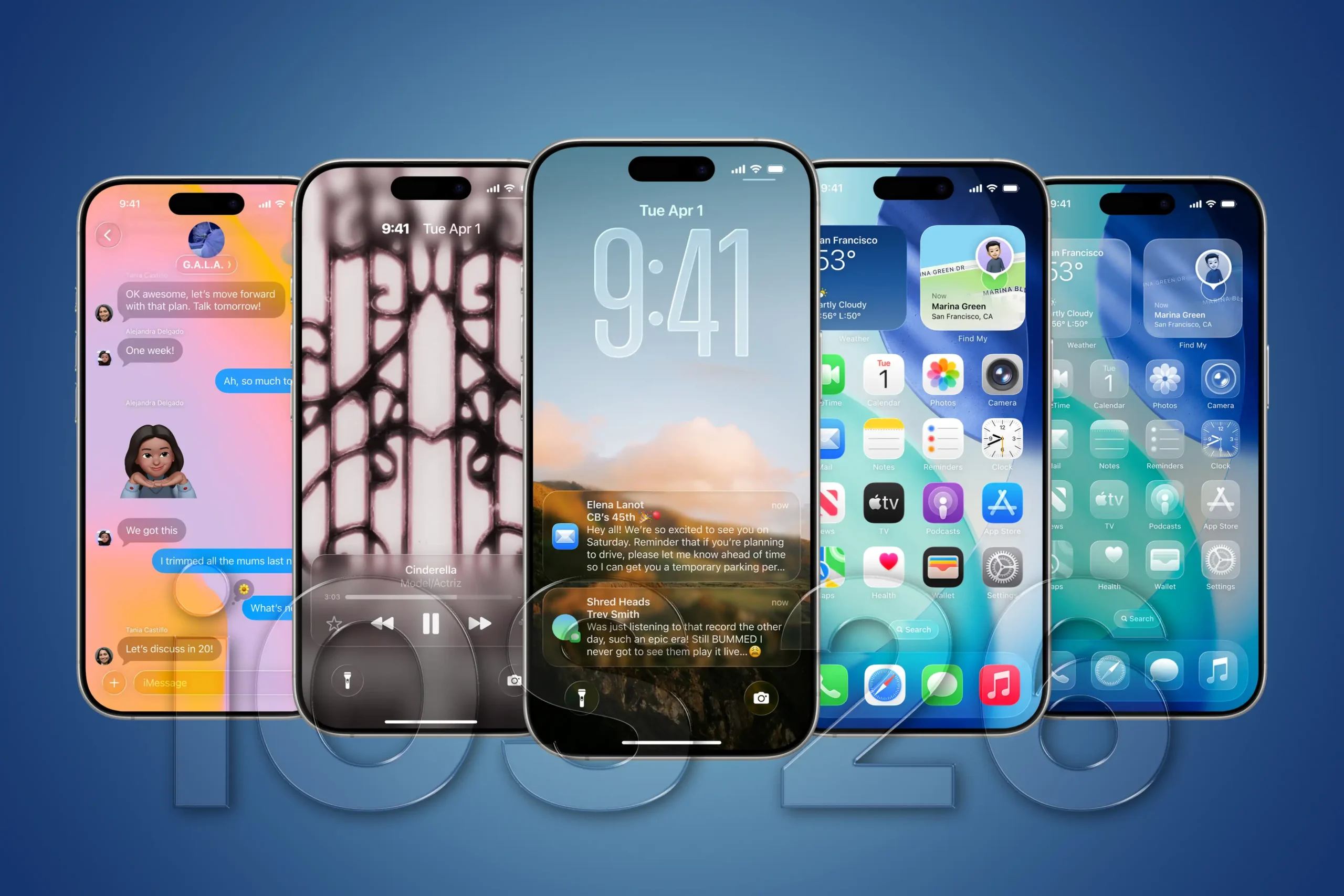
Apple has finally released iOS 26, the latest update for iPhone users. This update is one of the most advanced yet, bringing a fresh design and smarter tools that promise to make daily phone use easier, faster, and more enjoyable. From design changes to AI-powered features, iOS 26 is packed with 26 new highlights that every iPhone user should know about.
1. Fresh Liquid Glass Look
Apple has introduced a “Liquid Glass” theme. The new style makes icons, menus, and apps look softer, shiny, and more transparent. The phone now feels modern and stylish.
2. Smarter Lock Screen
The lock screen clock adjusts its size depending on your wallpaper and notifications. This makes the screen cleaner and more flexible.
3. Custom App Icons
Users can now choose between normal, tinted, dark, or clear icons, allowing for a personal touch.
4. Instant Translations
Messages and calls now have built-in translation. You can write in your language, and the other person will see it in theirs.
5. Call Screening
Unknown callers can explain why they are calling before you answer, helping you avoid spam or unnecessary calls.
6. Hold Assist
When companies put you on hold, iOS 26 waits for you and alerts you when a person comes on the line.
7. New Messaging Features
Messages now include group typing indicators, polls, and custom chat themes, making conversations more fun.
8. Genmoji and AI Playground
You can create custom emojis and fun images using AI. This lets you express yourself in new creative ways.
9. Visual Intelligence
The phone can now recognize objects, text, or items on screen and suggest actions immediately.
10. Smarter Reminders
The system automatically suggests reminders from messages, notes, or calendars.
11. Preferred Routes in Maps
Maps now remember your common travel paths and suggest them for faster navigation.
12. AutoMix in Music
Apple Music can automatically mix songs according to your mood or activity.
13. Better Wallet App
Wallet now shows improved boarding passes, tickets, and digital ID options.
14. New Games App
All your games and achievements are stored in one place, similar to Apple Arcade but more unified.
15. Stronger Braille Support
Braille displays work better, making iPhones more inclusive for visually impaired users.
16. Multiple Journals
Users can create separate journals for personal life, travel, or work.
Also Read: Xiaomi 14 Civi Features: Stylish Design and Powerful Performance

17. Safari Upgrades
The browser now has compact tabs, new layouts, and smoother switching between websites.
18. Advanced Files App
The Files app allows better folder icons, list view, and custom default apps.
19. Smarter Home Temperature
Your home devices adjust temperature automatically when you leave, sleep, or arrive.
20. Custom Alarm Snooze
You can now decide how long snooze lasts with larger buttons for easy use.
21. Dictation Spell-Out
While dictating, you can ask the phone to spell tricky names or terms.
22. Improved Spam Filters
Spam texts and unknown calls are separated automatically.
23. Cleaner Phone App
Recent calls, favorites, and voicemails now appear in a cleaner design.
24. Live Activity Widgets
Sports scores, deliveries, or other updates show live on your home screen.
25. Accessibility Enhancements
Features for vision, hearing, and motion have been expanded for better usability.
26. Compatibility Rules
Not all devices will get iOS 26. Only newer models from iPhone 11 onwards support most features.
Final Thoughts
iOS 26 is more than just an update—it feels like a complete redesign. With AI, personalization, and practical tools, it improves both the look and the function of the iPhone. For users who want speed, style, and smarter use, this update is a must.
Disclaimer: This article is for informational purposes only. Features may vary based on iPhone model, region, or future updates from Apple.